 Next Project
 Get in touch
Cultroo
Helping immigrant families share cultural traditions and values with children.
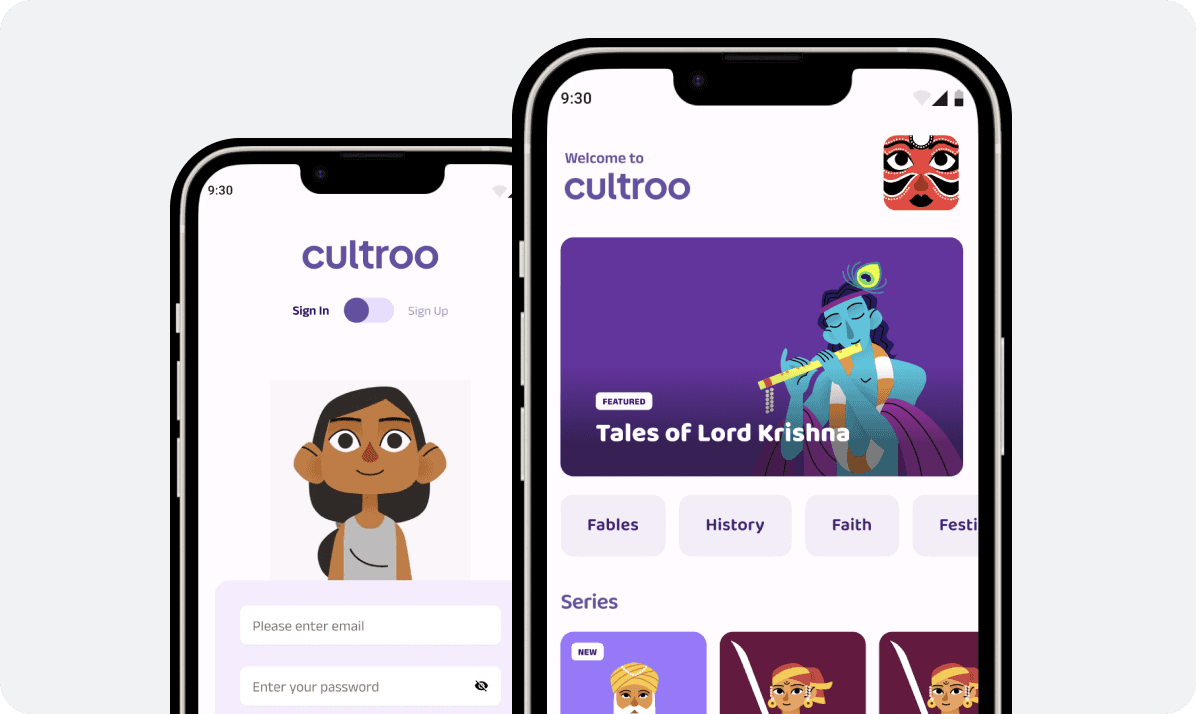
I led UX design for Cultroo, a cultural video platform for Indian immigrant children ages 3-12. I established design principles for six core experiences and created a unified navigation system optimized for pre-literate 3-year-olds (large touch targets) while including features like search that older children could leverage.
The core challenge: designing one interface that serves vastly different cognitive levels, with age-gated content ensuring developmental appropriateness.
Product
Mobile App
Skills
Established design practice
Design principles
Information Architecture
Stakeholder management
Dev handoff
My role
Lead UX designer
Timeline
4 months
Team
Rhea, Sanaja Ahluwalia, Rudra Das
Product didn't launch due to funding constraints, but UX foundation delivered lasting value.
The age gap challenge
The core design challenge was creating one unified interface that works for children across a 9-year developmental span—from pre-literate 3-year-olds to independent 10-12 year-olds.
I needed to optimize the navigation and interaction patterns for the youngest users (who can't read, have limited fine motor skills, and need large visual targets) while including functionality that older children expect (like search). Age selection at onboarding would gate content appropriateness, but the UI itself needed to work for everyone.
Simultaneously, I needed to build parent trust through transparency (activity monitoring, content filtering, time limits) while keeping children's experience feeling free and unrestricted. Too much visible parent control would reduce child engagement; too little would prevent parent conversion to paid subscriptions.
Breaking it down
Research & discovery
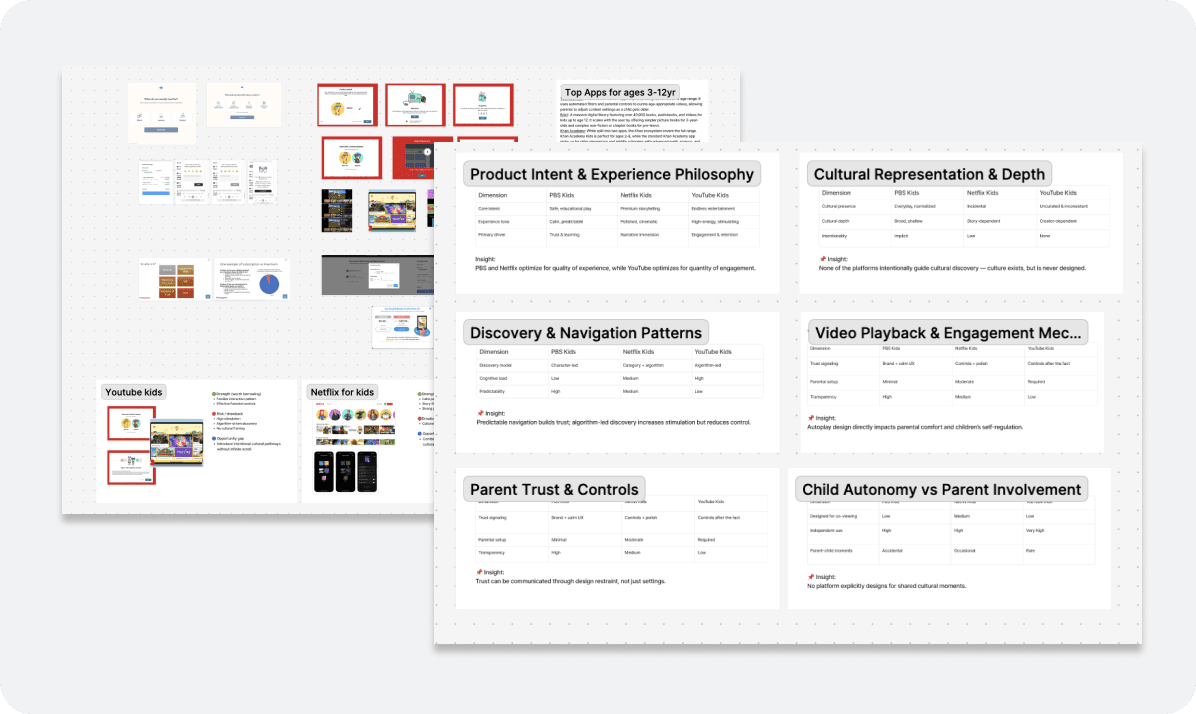
I conducted competitive analysis of YouTube Kids, Netflix for Kids, and PBS Kids to understand pre-literate navigation patterns, age-gating approaches, and parental trust factors.
Key findings:
Key gap
Existing platforms prioritize entertainment-first discovery and algorithm-led engagement, treating culture as background. Parents want meaningful cultural exposure, calm experiences, and intentional content journeys.
UX patterns
Visual browsing for young children, search for older kids; predictable navigation builds trust; autoplay impacts parent comfort and child self-regulation.
These insights shaped my approach: icon-based navigation for pre-readers, separated parental controls for trust, and no autoplay to support self-regulation.
These insights shaped my approach: icon-based navigation for pre-readers, separated parental controls for trust, and no autoplay to support self-regulation.
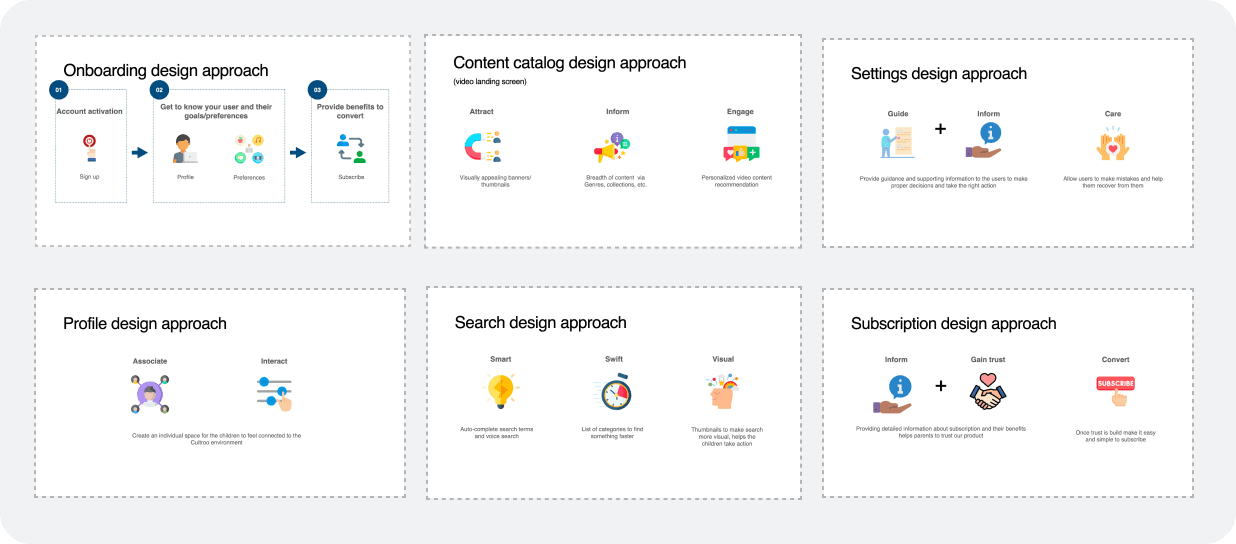
Design principles
I established design principles for six core experiences to guide team execution and ensure consistency
These principles informed all subsequent design decisions, from information architecture to interaction patterns.
How it came together
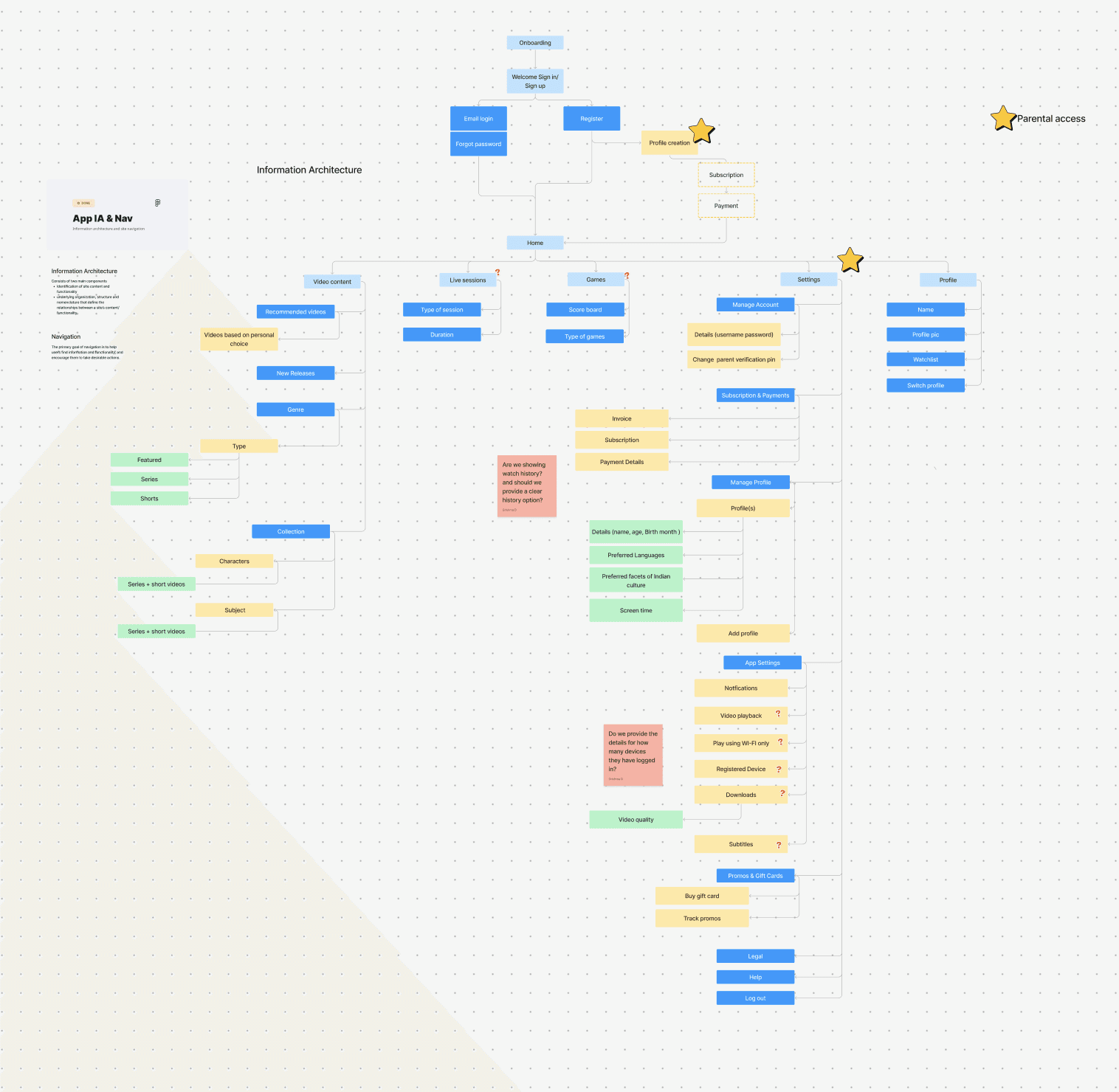
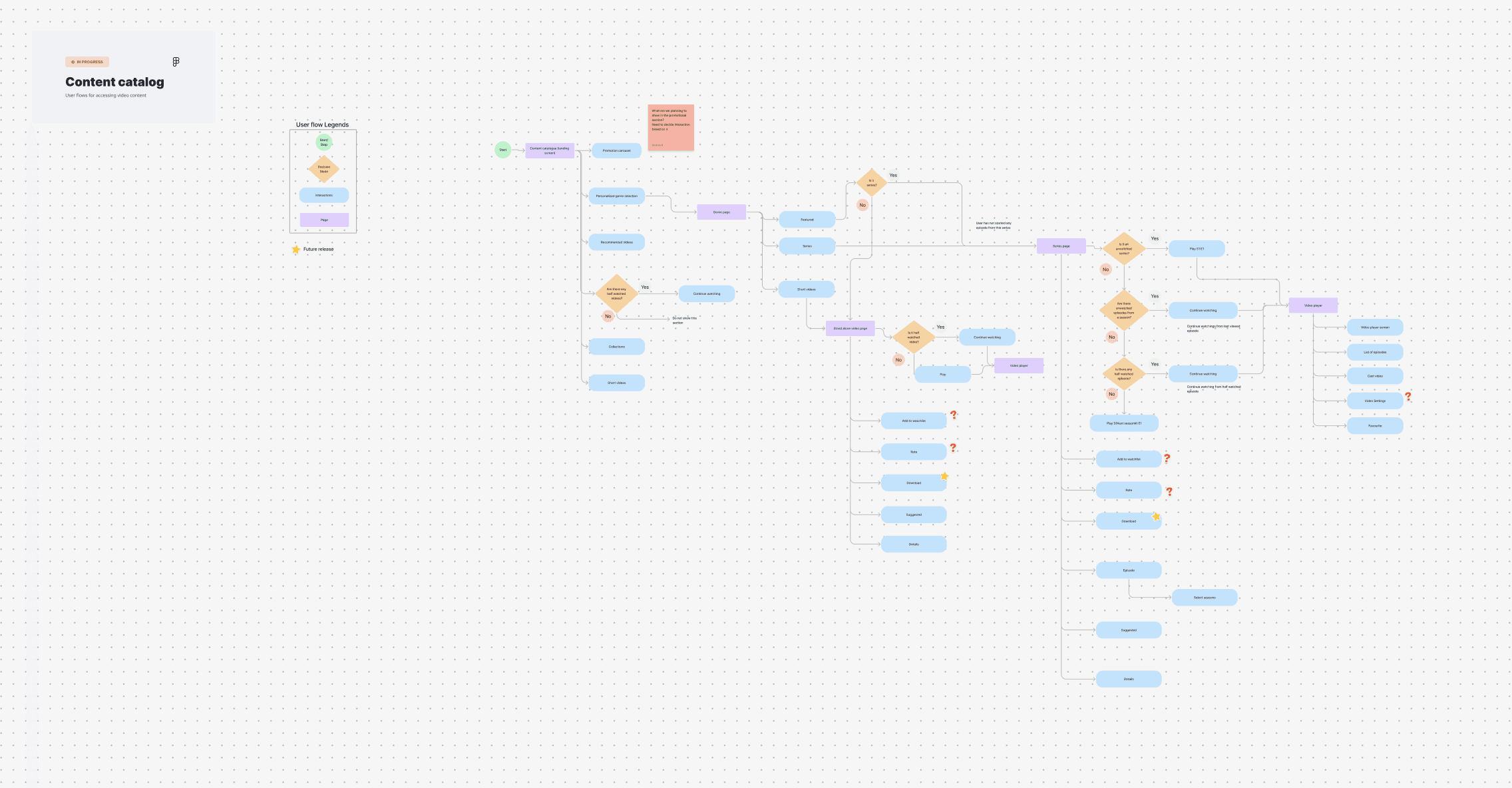
I designed a unified IA optimized for pre-literate users, using icon-based visual categories (Festivals, Stories, Songs, Language, Values) that young children could navigate independently.
I included search functionality accessible to all users, knowing older children would leverage it while younger children would rely primarily on icon browsing. This "design for youngest, provide tools for oldest" approach ensured accessibility for our most constrained users while accommodating the needs of independent older children.
I created user flows for key tasks (onboarding with age selection, content discovery, video playback, profile management, parental controls access) that worked consistently across all age groups. The flows were designed with pre-literate users in mind—minimal steps, clear visual affordances, immediate feedback—while remaining efficient for older children who navigate more quickly.
Decision 1 : Avatar selection system
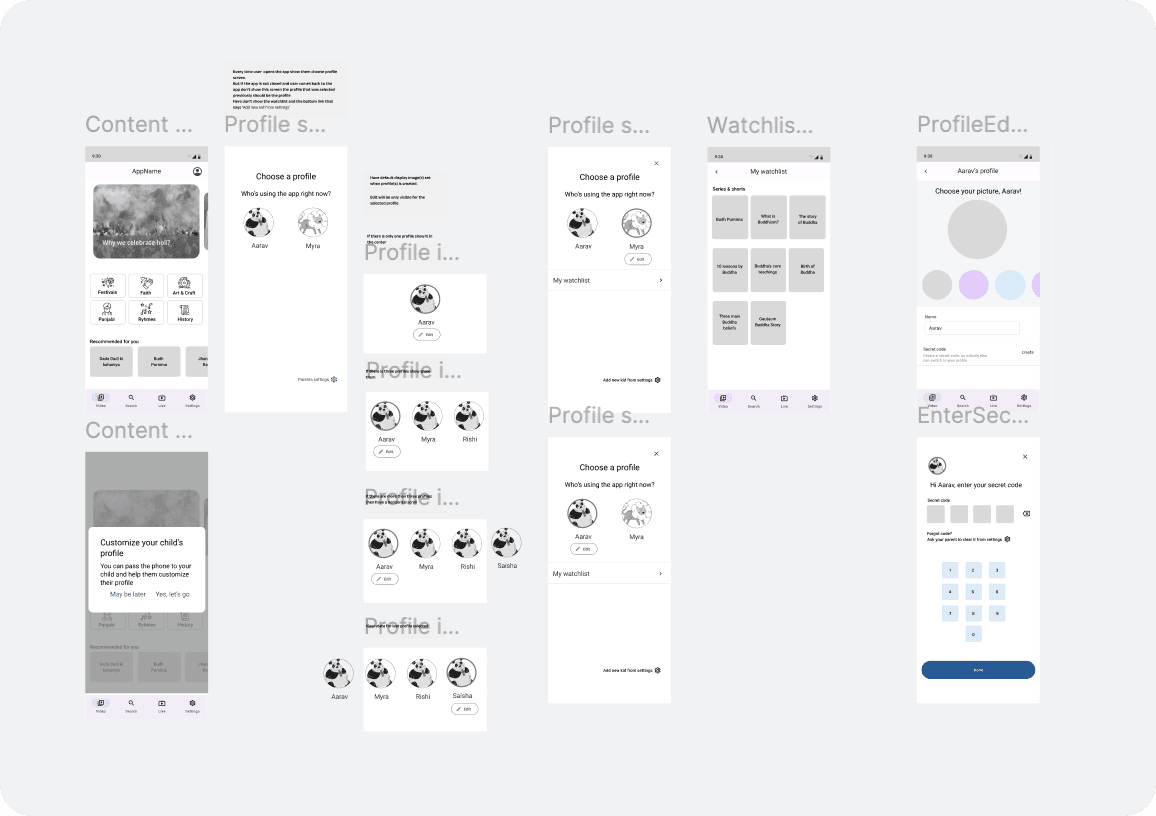
From research synthesis, I identified that personalization drives engagement across age groups. For 3-5 year olds, avatar selection creates emotional attachment. For 8-12 year olds, it provides self-expression. I created the UX framework (persistent avatar presence, simple selection flow, immediate feedback) that the visual design team used to execute character illustrations and animations. I handed off wireframes to our junior UX designer to detail, then reviewed visual designers' character concepts for age-appropriateness.
Decision 2 : Age-gated content with unified navigation
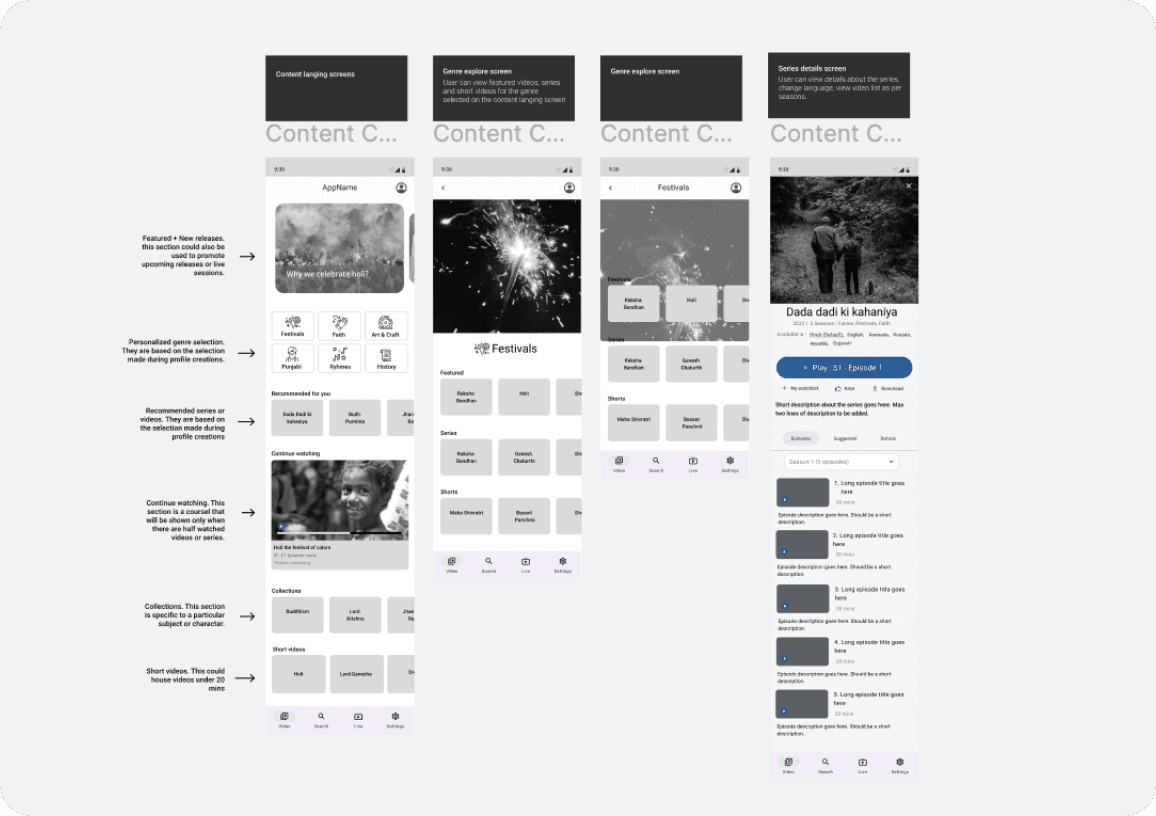
The core challenge was serving a 9-year developmental span without building separate apps. I established the design principle: "optimize for the youngest user, then add power features for older users." This led to an IA with large icon-based category browsing (Festivals, Stories, Songs) that 3-year-olds could use, plus search that older children could leverage. Age selection at onboarding determines content visibility across all categories. I created the IA structure, user flows, and wireframes that our junior UX designer detailed for development.
Decision 3 : Separated parental controls
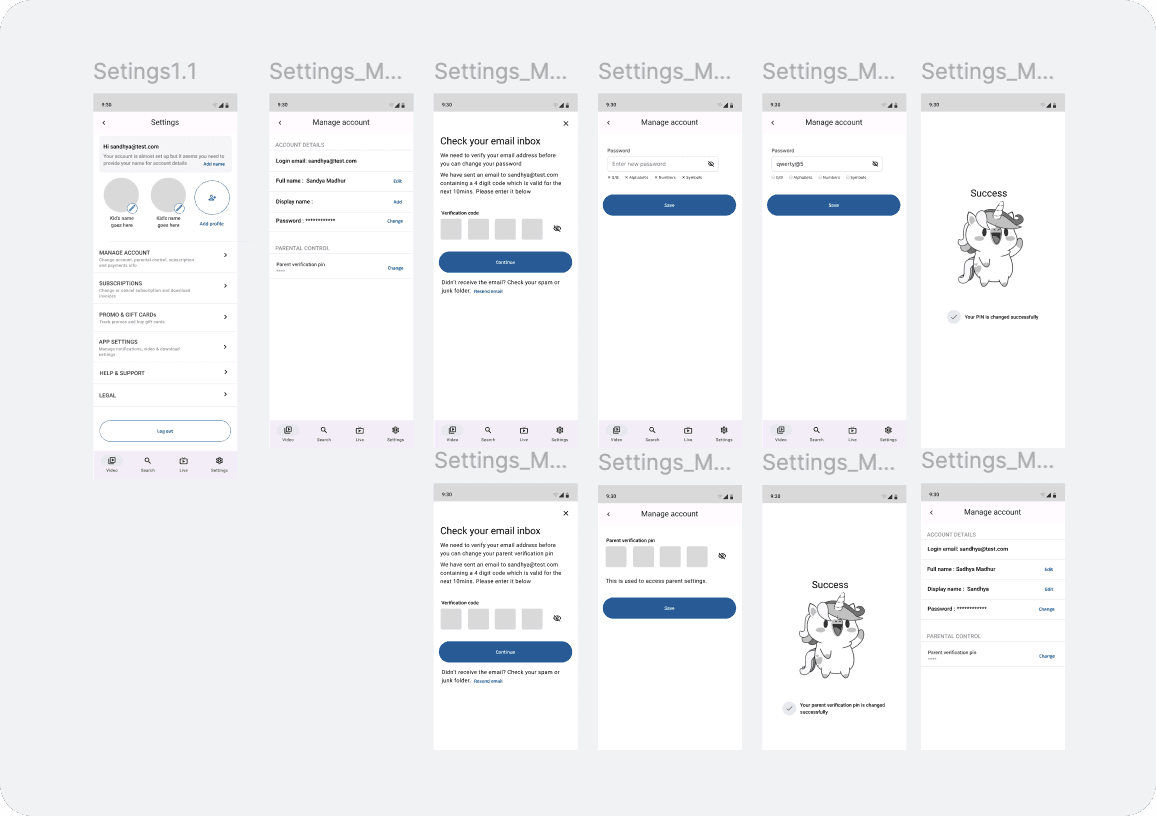
Parents needed transparency (watch history, time limits, content filtering) to build trust and convert to paid subscribers. However, UX best practices for children's products suggest that visible parental controls reduce child engagement and sense of autonomy. I architected a dual-experience: children see a seamless, unrestricted interface while parents access comprehensive controls via PIN-protected settings. This required designing two distinct user flows and states within one app. I created wireframes for both experiences and guided our junior UX designer through detailed flow development.
Building the experience
The visual design team translated my wireframes and design principles into high-fidelity screens. Here are key screens showing how the three core decisions manifested in the final design
Outcomes & Impact
While the product didn't launch due to funding constraints, my UX foundation delivered tangible value:
Framework adoption
Design principles framework adopted by founders and dev team, informing all product and technical decisions
Team Development
Mentored junior visual designer (fresh from college) on UX fundamentals: consistency, layout best practices, mobile patterns—accelerating their growth to professional-level work
Strategic Assets Delivered
Complete IA, age-segmented flows, and wireframes for all features handed to founders, ready for future development
Process Establishment
Created startup's first structured UX practice: principles documentation, Figma organization, critique processes
Reflections
Working on an unshipped product taught me valuable lessons:
Designing for Uncertainty
In startups, work may not ship as planned. Creating scalable foundations (principles, IA, reusable flows) delivers value regardless of outcome.
Mentorship Under Constraints
Leading a junior designer required balancing education with execution—teaching fundamentals over perfectionism enabled contribution within tight timelines.
Measuring Success Differently
Without launch metrics, success = de-risking decisions, creating reusable assets, up skilling team. By those measures, this succeeded.
What I'd Do Differently
Conduct lightweight user testing earlier myself (5-8 children) rather than delegating, to validate icon-based navigation and avatar decisions before final execution.